Nero Streaming Player Pro
- 3.3
- Rating
- 10.00K
- Installs
- $0.99
- Price
 Analysis by App-foxy
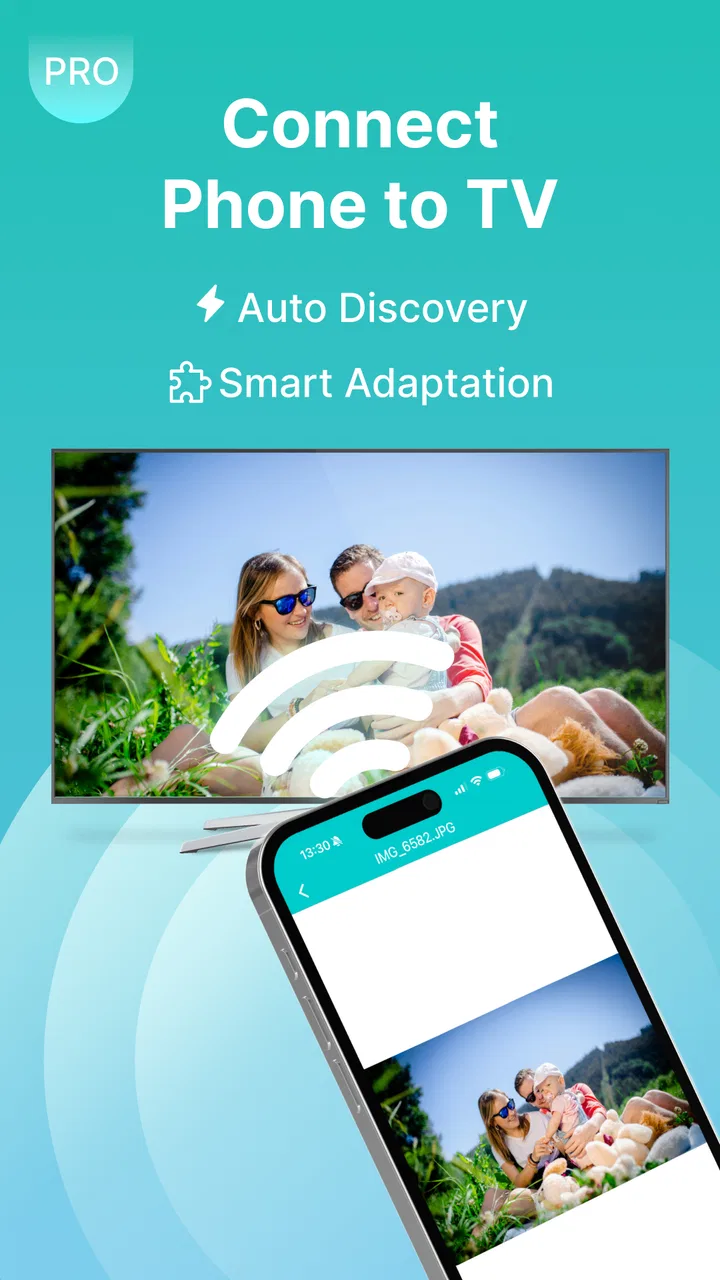
I approached Nero Streaming Player Pro as a practical living-room tool rather than another video editor. Its purpose is straightforward: move videos, music, and photos from a mobile device to a compatible Smart TV, Chromecast, Roku, or Fire TV, including 4K content. That focus makes it interesting for anyone who dislikes passing a phone around during a family gathering or wants a larger screen without first copying files to a computer.
My overall impression is that this is a specialized app with a clear benefit when your devices already fit its casting workflow. It is less compelling if you mainly watch subscription services, need serious playback controls, or expect a polished, effortless experience on every network. The app comes from Nero AG and sits in the video players and editors category, although the “editor” side is not what defines the experience here. It is primarily about sending personal media to another screen.
How Nero Streaming Player Pro Performs in Real Use
I use the opening performance section to set a practical expectation: casting is a chain involving the phone, home network, and receiver, so a brief test is more useful than assuming every setup will behave alike. I also look at how to make that test informative—starting with one small item, then trying the media that matters most—before considering the heavier sessions and device-specific trade-offs that follow.
You May Also Like

 AccuWeather: Weather Radar
AccuWeather Review: A Quick, Clear Forecast for Everyday Decisions
For everyday plans, the best forecast is the one you can understand quickly. AccuWeather makes rain timing, radar, and local conditions easy to act on, with a few trade-offs.

 Hill Climb Racing
Why Hill Climb Racing Still Turns Crashes Into One More Run
A tiny car, a bumpy hill and one more upgrade: Hill Climb Racing keeps resurfacing because its simple chaos makes every near-miss feel personal.

 AliExpress - Shopping App
AliExpress Makes Global Shopping Feel Personal, but Shoppers Bear the Risk
AliExpress turns a global marketplace into a pocket-sized discovery engine. Its reach is useful, its shopping loop compelling, and its trade-offs easy to miss.

 Lords Mobile: Kingdom Wars
Lords Mobile Is a Kingdom-Building Routine, Not a Quick Match
A case-by-case verdict on the building, battles, device demands, and social commitments that make Lords Mobile rewarding for some players and exhausting for others.

 PDF Scanner app - TapScanner
TapScanner Makes Paperwork Easier to Capture, Check, and Share
TapScanner makes scanning with a phone feel less like a rescue operation and more like a dependable step in getting work done. Its capture tools are useful, though not flawless.

 Block Blast!
 Shows How Much a Puzzle Game Can Leave Out
A quiet grid game shows why puzzle players increasingly value instant clarity, repeatable skill and low-pressure play—and where the genre still needs to catch up.
More From Our News Desk
View All News


What speed feels like before playback begins
The first thing I would judge with a casting app is not the advertised resolution but the time between choosing a file and seeing it on the television. In everyday use, that depends heavily on how quickly the phone discovers the receiver and how the home network handles the media. The app’s job is to make that chain feel simple, but it still relies on several devices cooperating at once.
For a short clip or a handful of photos, the workflow is naturally easier than for a large personal recording. I found the most sensible approach was to keep the phone awake while selecting the receiver, then start with a single item before building a longer queue. That reduces confusion when several televisions, streaming sticks, or compatible devices are visible in the same home.
The 4K support is useful, but it should not be read as a guarantee that every clip will begin instantly or look perfect on every television. Resolution is only one part of the experience. The source file, the receiving device, the network, and the television’s own handling all matter. If your priority is immediate playback with no troubleshooting, a television’s built-in media player may still be faster for files already stored on a USB drive.
I also like the fact that the app is aimed at personal media rather than forcing everything through a separate cloud service. That can make it a more direct choice for holiday videos, downloaded recordings, or a photo collection sitting on the phone. The trade-off is that the phone remains part of the chain, so battery use and interruptions become more relevant than they would be with a dedicated streaming box.
Where heavier sessions expose the trade-offs
A quick photo slideshow is an easy test. A longer video, several high-resolution images, or repeated casting sessions are more revealing. This is where I would pay attention to whether the phone becomes warm, whether switching between media types feels cumbersome, and whether the receiver keeps playing when the phone is used for something else.
One practical tip is to prepare the media before starting. Close unrelated heavy tasks, make sure the desired files are easy to locate, and connect to the intended television before inviting other people to choose content. This is not glamorous advice, but it prevents the classic living-room problem where everyone is waiting while the host searches through a crowded gallery.
For 4K material, I would be especially careful about the difference between “can cast” and “casts comfortably.” Large files place more demands on storage access, wireless transfer, and the receiver. If a clip matters, I would test a short section first rather than discovering during a presentation that the network struggles with the full recording.
Music is another useful scenario. The television or connected speaker can become the room’s playback system while the phone acts as a controller. That is convenient for a dinner or small gathering, but it is not necessarily the best replacement for a dedicated music app. If you need smart playlists, deep library management, or uninterrupted background listening while doing other things on the phone, a specialized audio service will usually be more comfortable.
Photos reveal a different limitation. A television can make a group viewing session much better, but selecting images on a phone is still a personal task. I would create a temporary album first, especially for travel pictures or family events. That workflow is quicker and avoids exposing unrelated images when handing control to someone else.
Stability depends on the whole home setup
With casting software, “reliable” does not mean only that the app opens. The connection must survive discovery, handoff, playback, and control. A failure at any stage can look like an app problem even when the television, streaming stick, or wireless router is responsible. Nero Streaming Player Pro is therefore best judged as one part of a local media system.
If a receiver does not appear, I would first check that the phone and the target device are on the same home network and that the receiver is awake. I would also avoid trying to cast while the phone is jumping between wireless connections. These checks are more valuable than repeatedly tapping the cast button.
Recovery is important in real homes. When playback stops, the quickest sequence is usually to pause, reconnect to the receiver, and retry with one file instead of rebuilding a large selection immediately. If that fails, restarting the receiver can be more effective than reinstalling the app. I would only move to more disruptive fixes after confirming that other devices can still use the same network normally.
Another sensible habit is to keep a backup plan for important moments. If I were showing a family video to guests, I would have the file available directly on the phone or on another supported device. Casting is convenient, but it introduces more points of failure than playing a file locally. That does not make the app poor; it simply defines the kind of confidence it can reasonably offer.
The public response is mixed rather than overwhelmingly enthusiastic. The app has an average rating of 3.3 from around 400 ratings, alongside a smaller set of written feedback. I would interpret that as a reason to test it with your own television and network before depending on it for regular use. A casting app can be excellent in one household and frustrating in another because the device combinations are different.
Older phones and supported software matter
The minimum operating-system requirement is Android 6.0, which gives the app a relatively broad compatibility range for Android users. That does not mean every older phone will feel equally responsive, especially when handling large photos or high-resolution videos. Age affects storage speed, wireless performance, available memory, and battery condition even when the operating system meets the requirement.
I would be more cautious with an older handset that is already slow in the gallery or frequently closes background apps. The casting process may still work, but browsing a large media library can feel less pleasant. A newer phone is not essential for simple photos, yet it becomes more attractive when the session involves demanding video files or several different media types.
The receiving side is just as important. The store summary names Smart TV, Chromecast, Roku, and Fire TV as the intended destinations, but compatibility in practice still comes down to the specific television or streaming device. Before paying, I would identify the exact receiver in the room where I plan to use the app. “Smart TV” is a broad label, and televisions differ in how they expose casting functions.
There is also a practical distinction between screen mirroring and media casting. Casting sends selected content to the receiver, while mirroring reproduces the phone display. If you want to show an app interface, a live webpage, or something that is not a normal media file, this player may not be the right tool. For personal videos, music, and photos, its focused approach makes more sense.
The age rating is Everyone, which fits a general-purpose media utility intended for ordinary household use. That label does not remove the need for common sense around personal photos or videos. I would still prepare a dedicated selection before letting children or guests choose what appears on the television.
What the paid model means for your decision
The app is listed at $0.99, with in-app purchases ranging from $0.99 to $39.99 per item. That pricing structure deserves attention because the initial cost is not the entire purchasing context. I would review the purchase screen carefully and decide whether the basic casting workflow already covers my needs before committing to any additional item.
For someone who casts personal media every week, even a modest upfront price can be reasonable if it avoids a more complicated computer-based setup. For occasional use, the built-in casting options on a phone, television, or streaming device may be enough. Free alternatives can also be preferable when they already support your exact receiver and file types without adding another paid layer.
In my view, the strongest reason to choose this app is not a long list of advanced controls. It is convenience for a specific household: one where media lives on an Android phone and the main goal is to place it on a larger compatible screen. If your needs are broader, the value becomes harder to defend.
Everyday scenarios where it earns its place
Imagine returning from a trip with a phone full of 4K clips. Instead of crowding around the small display, I would connect to the living-room television, select the best recordings, and let everyone watch together. The important preparation would be choosing the clips beforehand and testing one video, because a carefully edited selection makes the session feel much smoother than browsing the entire camera roll in front of guests.
Another good use is a quick product demonstration at home. If I need to show a recorded repair, a craft project, or a sequence of photos to someone across the room, a larger screen is easier to follow. The app is useful here because it avoids transferring the files to a computer first. It is not a presentation suite, though, so people who need annotations, slides, or professional layout should use a dedicated presentation tool.
For household music, I could send a personal collection to a television or connected receiver during a meal. The phone remains convenient for choosing the next track, but I would not expect the same library features as a purpose-built music player. This is a good example of the app’s central trade-off: it combines several media types in one place, but it does not replace every specialized app.
When another option is the smarter choice
I would skip this app if nearly all my viewing comes from streaming subscriptions. Those services already include their own receiver support, playback controls, profiles, and content search. Adding a separate local-media caster would introduce another step without solving a real problem.
I would also look elsewhere if I need dependable playback of unusual formats, subtitles, audio-track switching, or detailed queue management. A dedicated media server or a mature local player may provide more control. Likewise, iPhone users should begin with the native casting methods and receiver support already available in their setup before considering an Android-focused purchase.
People who want to mirror the entire phone screen should choose a tool designed for mirroring. People who want to edit videos should use an editor. Nero Streaming Player Pro makes the most sense when the files already exist as personal videos, music, or photos and the desired result is simply a larger-screen viewing session.
Maintenance, expectations, and the current release
The current version is 2.4.95. I would keep the app updated through the normal store process, particularly if a receiver behaves inconsistently after a television or streaming-device update. Casting depends on communication between multiple products, so keeping the phone app and destination device reasonably current is a sensible part of troubleshooting.
I would also avoid judging the app solely by one failed attempt. First test a small photo group, then a short video, and finally the demanding file you actually care about. This staged approach identifies whether the issue is discovery, file handling, or sustained playback. It also gives you a realistic answer before you build the app into an important routine.
Resource demands are best understood in context. Browsing photos should be a lighter task than sending large 4K video, while long sessions may place more pressure on the phone than a single short clip. I would keep the handset charged for gatherings and avoid treating it as disposable remote control if its battery is already low.
My performance verdict
After weighing the speed expectations, heavier-use trade-offs, recovery steps, and device constraints, I see Nero Streaming Player Pro as a focused utility rather than a universal media solution. Its appeal is strongest when a person wants to cast locally stored videos, music, and photos to a compatible television or streaming receiver without first using a computer.
The 10K-plus install count shows that it has found an audience, but the modest 3.3 average rating tells me to approach it with realistic expectations rather than assuming flawless compatibility. I would test it in the exact room and with the exact receiver I plan to use. That small trial is more meaningful than any general promise of 4K playback.
My recommendation is conditional but positive for the right household. If your phone contains personal media and your living room uses Smart TV, Chromecast, Roku, or Fire TV equipment, this app can make group viewing more convenient. If you need professional playback controls, screen mirroring, subscription streaming, or guaranteed performance across many devices, I would choose a more specialized alternative instead.
For me, the deciding question is simple: do I regularly need to put my own files on a larger screen? If the answer is yes, the small entry price may be worthwhile, provided I verify the receiver first and keep a backup plan for important playback. If the answer is no, the built-in tools already present on most modern devices are likely the cleaner choice.
FAQs for Nero Streaming Player Pro
01What is Nero Streaming Player Pro, and what can I use it for?
Nero Streaming Player Pro is designed for playing and managing multimedia content on compatible mobile devices. It can be useful for watching locally stored videos, viewing photos, and listening to music in a single app. During testing, its main appeal was the convenient all-in-one media experience, although the exact playback features may depend on your device, operating system, file formats, and the version available from the official store.
02Does Nero Streaming Player Pro support all video, audio, and image formats?
The application supports many common media formats, but it should not be assumed that every file type will play perfectly. Compatibility can vary according to the codec, resolution, audio track, digital rights protection, and your phone or tablet’s hardware. If you plan to use Nero Streaming Player Pro for a particular collection of files, check the current store description and test a few representative files before moving your entire library to the app.
03Can Nero Streaming Player Pro stream content from other devices or network locations?
The word “Streaming” suggests that the app may be intended for convenient media playback beyond simple local files, but available network or device-streaming functions can differ by platform and release. Some features may require compatible devices, an active Wi-Fi connection, or permissions for local-network access. Before downloading, review the latest feature list and privacy permissions to confirm whether it supports your specific television, computer, server, or storage setup.
04Is Nero Streaming Player Pro free, and are there in-app purchases or limitations?
Nero Streaming Player Pro is a paid or premium-oriented application, so pricing and included features should be checked directly on the official Google Play Store or Apple App Store listing. Depending on the platform, the purchase may unlock additional playback tools, remove advertising, or provide access to Pro features. Store prices, subscriptions, taxes, and promotional offers can change, so avoid relying on older screenshots or third-party download pages.
05Is Nero Streaming Player Pro safe to download and easy to use?
The safest way to install Nero Streaming Player Pro is through its official listing on Google Play or the Apple App Store, where the publisher, permissions, reviews, update history, and privacy information can be checked. The interface is intended for straightforward media playback, but setup may still require access to files, photos, storage, or the local network. Keep your device updated and avoid unofficial APKs or modified versions, which may create security and privacy risks.
Pros
- Supports many common video and audio formats without extra conversion.
- Offers smooth playback with useful controls for everyday media viewing.
- Can stream content from compatible network devices and storage locations.
- Pro version generally provides a cleaner experience with fewer interruptions.
- Simple interface makes basic playback easy for most users.
Cons
- Some advanced streaming features may require compatible Nero ecosystem products.
- Performance can vary depending on network speed and device hardware.
- The interface may feel dated compared with newer media player apps.
- Certain formats or codecs may not play correctly on every device.
- The Pro price may be difficult to justify for occasional media playback.

Nero Streaming Player Pro
Gallery